More control, smarter templates, and effortless file management:
- Centralized File Management: View and validate all asset files in one place.
- Expanded NC & Task Permissions: Control over approvals and management.
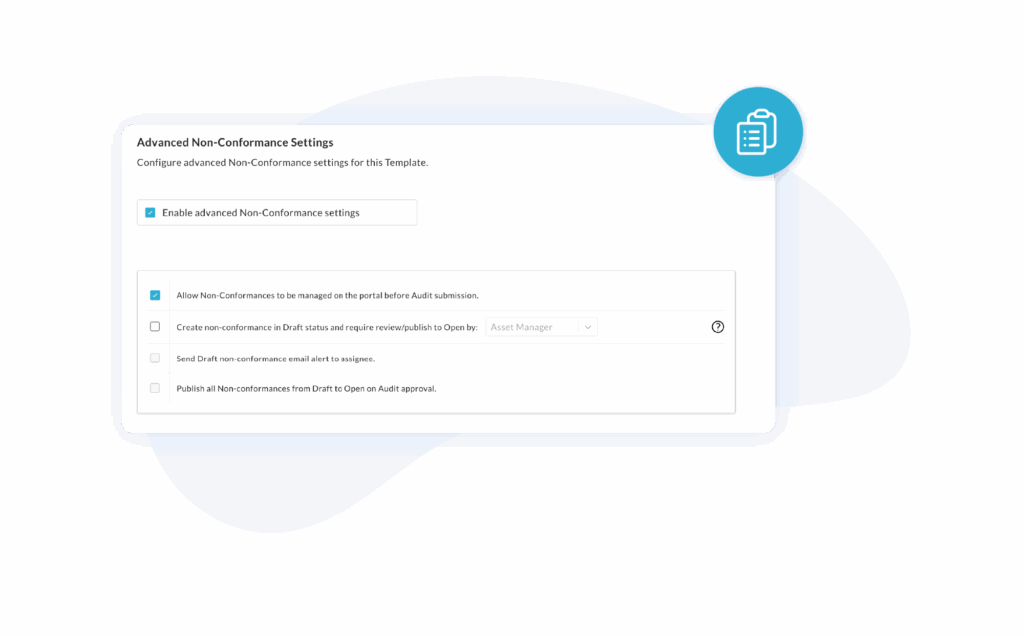
- Template-Level NC Control: Manage NCs before assessment completion.
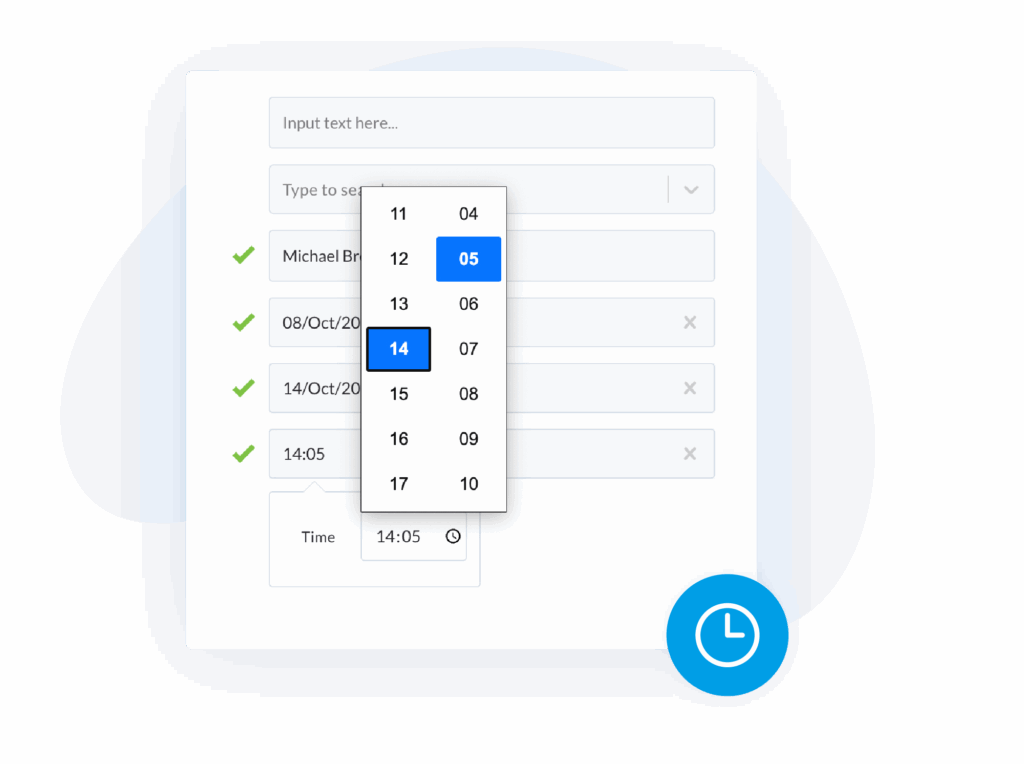
- New Time Field: Capture precise time inputs in assessments.
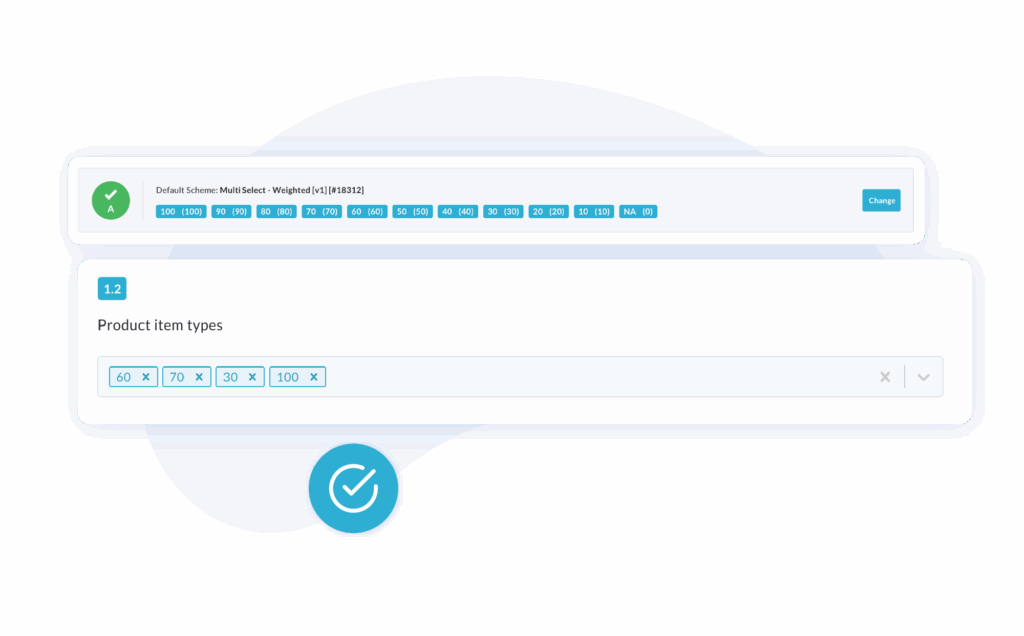
- Weighted Scoring: Apply weighted values to multi-select answers.
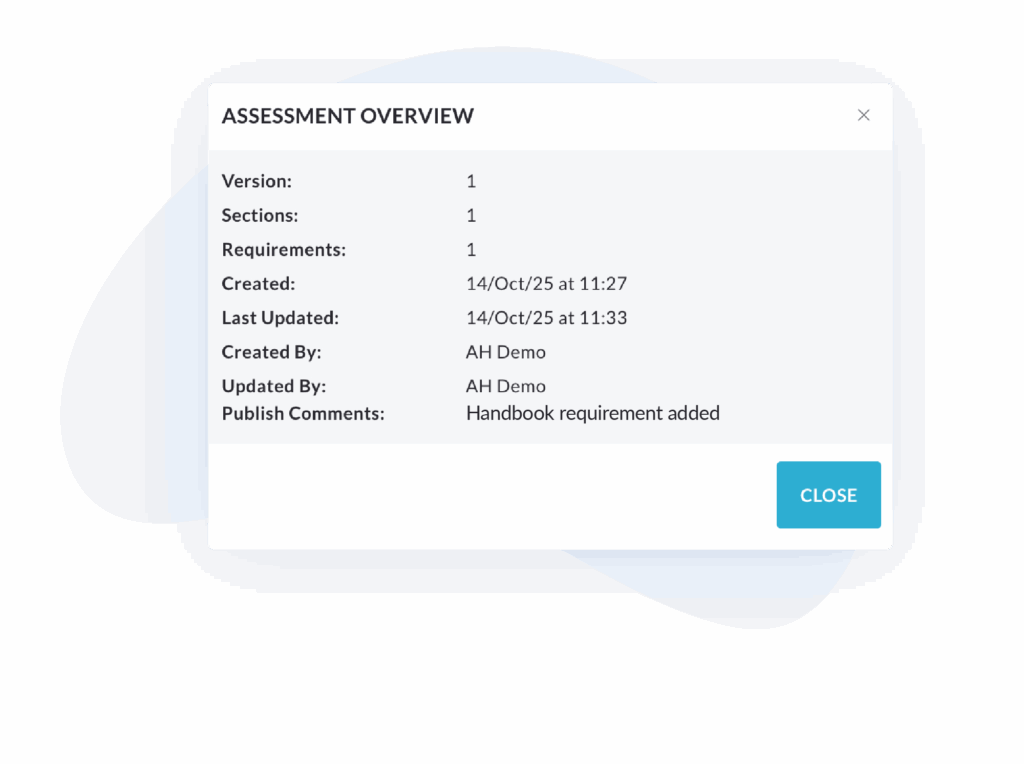
- Template Publish Comments: Quickly see what changed in the “Info” modal.
- Android Edge-to-Edge Support: Optimized for the latest Android version.
- Asset File Defaults Updated: Files now must be manually enabled on templates.
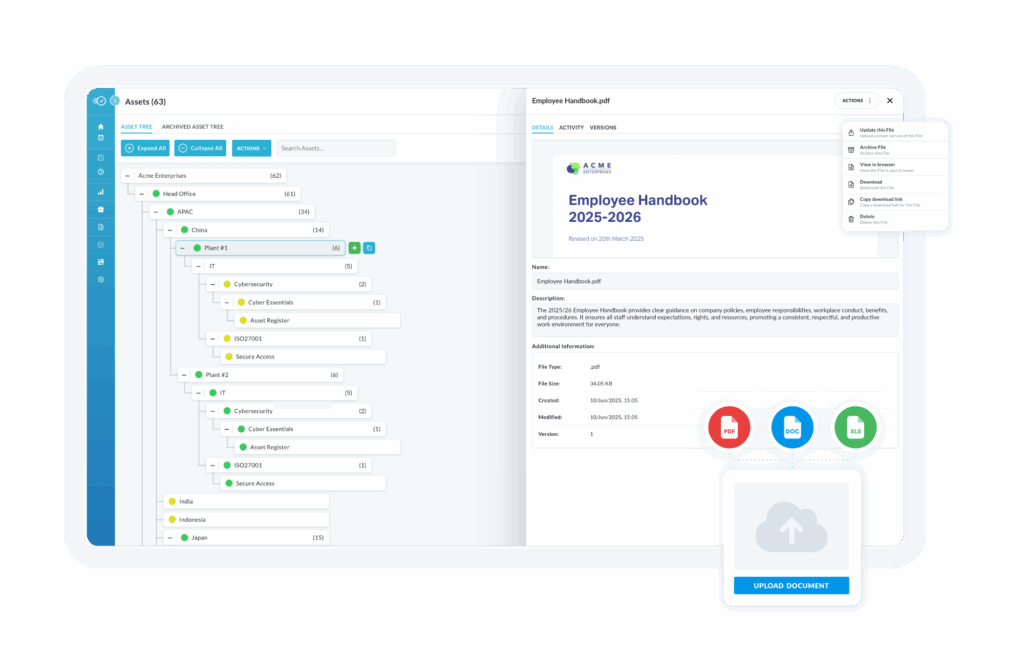
Centralize, Track, and Validate Every Asset File
Manage all uploaded files from one place with full visibility of type, version, and validity. The new File Management List keeps assets audit-ready and documentation compliant.
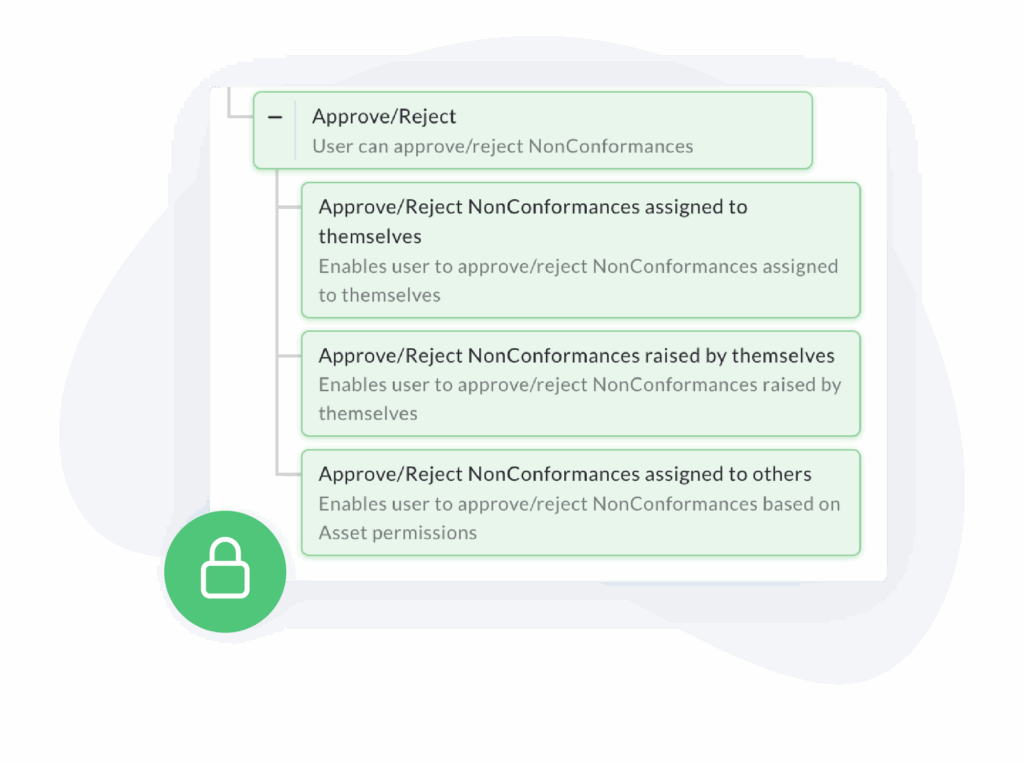
Take Full Control of NCs and Tasks
New permission options let you decide who can approve, assign, or close NCs and Tasks – giving you greater oversight and accountability across teams.
Customize NC Management by Template
Choose whether NCs can be managed on the portal before an assessment is completed. This setting is now template-specific, giving you more flexibility for different workflows.
Capture Time with Precision
A new “Time” input field lets you record exact durations or timestamps directly within your assessments for more accurate data collection and reporting.
Add Depth with Weighted Scoring
Introduce a new Weighted Multi-Select Scoring Scheme to capture nuanced responses and reflect the true impact of each selection in your assessments.
See What’s Changed Instantly
Template publish comments now appear in the “Info” modal, helping assessors quickly understand what updates or revisions have been made.
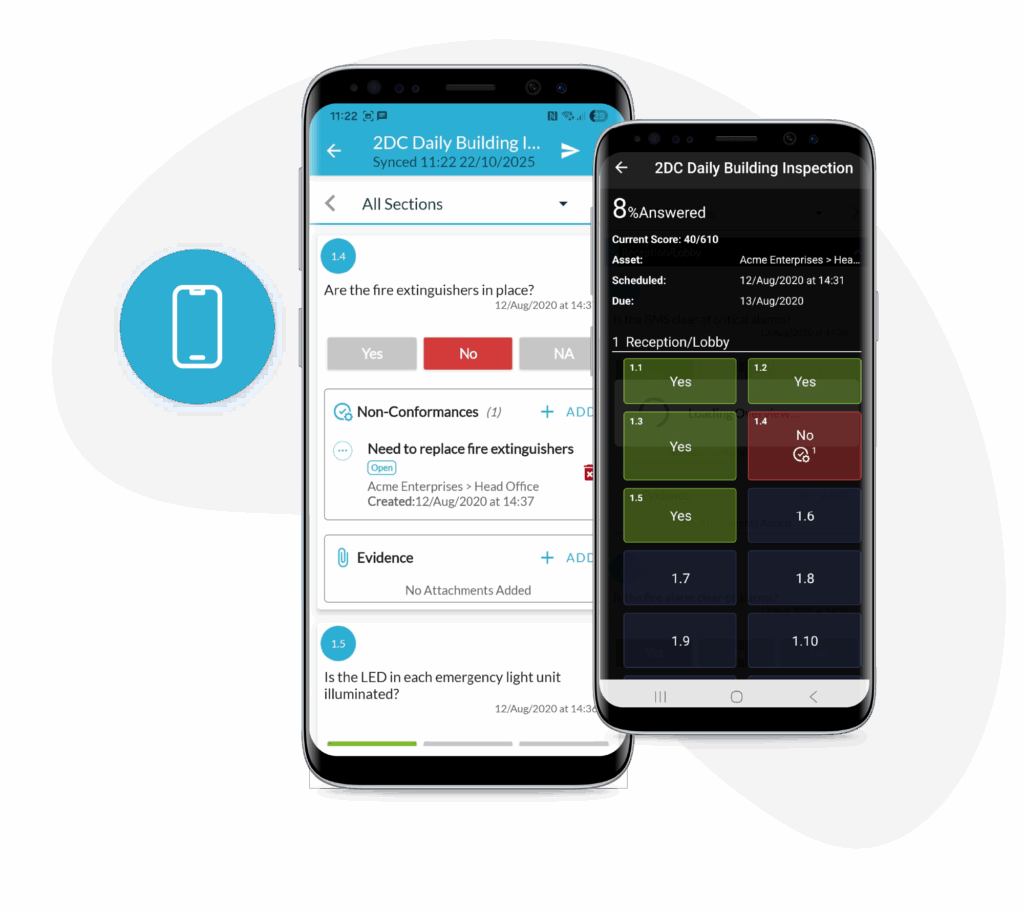
Optimized for the Latest Android Experience
Edge-to-edge support ensures smoother navigation and a cleaner, more immersive interface on the latest Android devices.
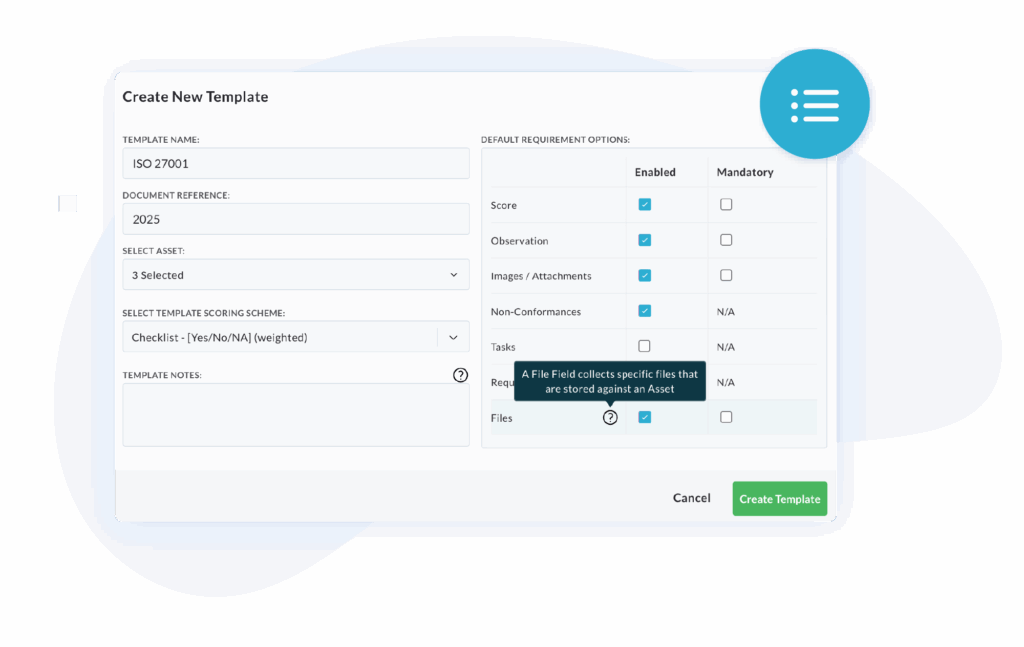
Smarter Defaults for Asset Files
Asset files now need to be manually enabled on new templates, ensuring cleaner configurations and better control over data management.
Your feedback is always valuable to us. If you have any questions or suggestions, please contact us at [email protected].