Learn what’s new and improved in Nulogy Quality & Compliance.
New Feature: Reassign In Progress Assessments
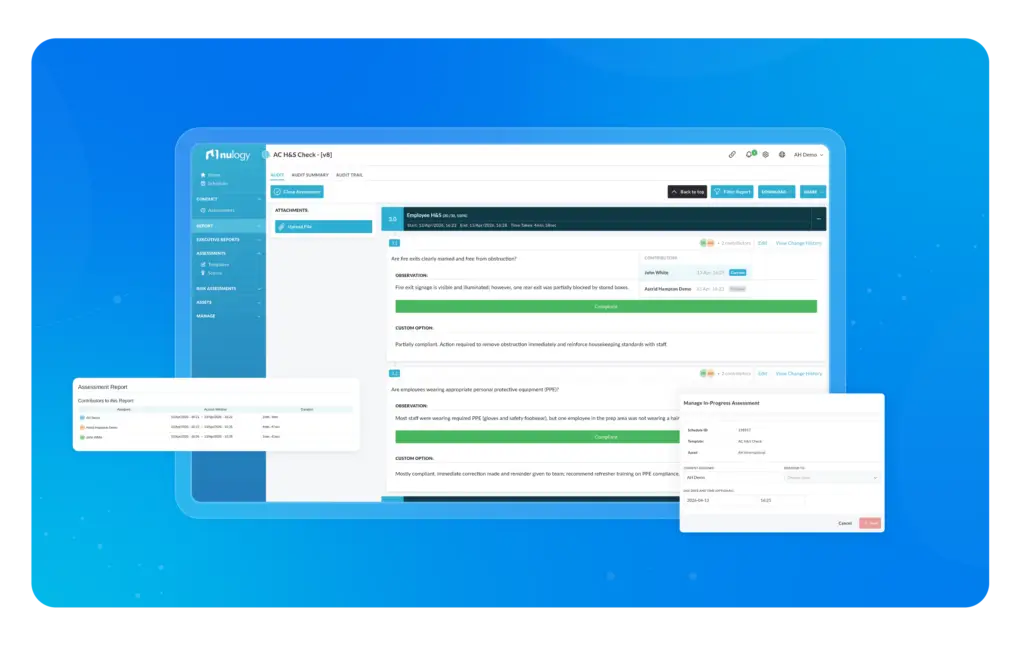
An enhancement has been made to In Progress Assessments, where users now have the ability to reassign an assessment that is already in progress to another user.
This feature will provide greater flexibility and support for audit activities requiring multiple users. For example, one user can begin an assessment and reassign it to another user for completion.
Audit teams can also better manage responsibilities of each assessment. For example, if a team member becomes unavailable mid-assessment, it can be reassigned and completed by another team member.
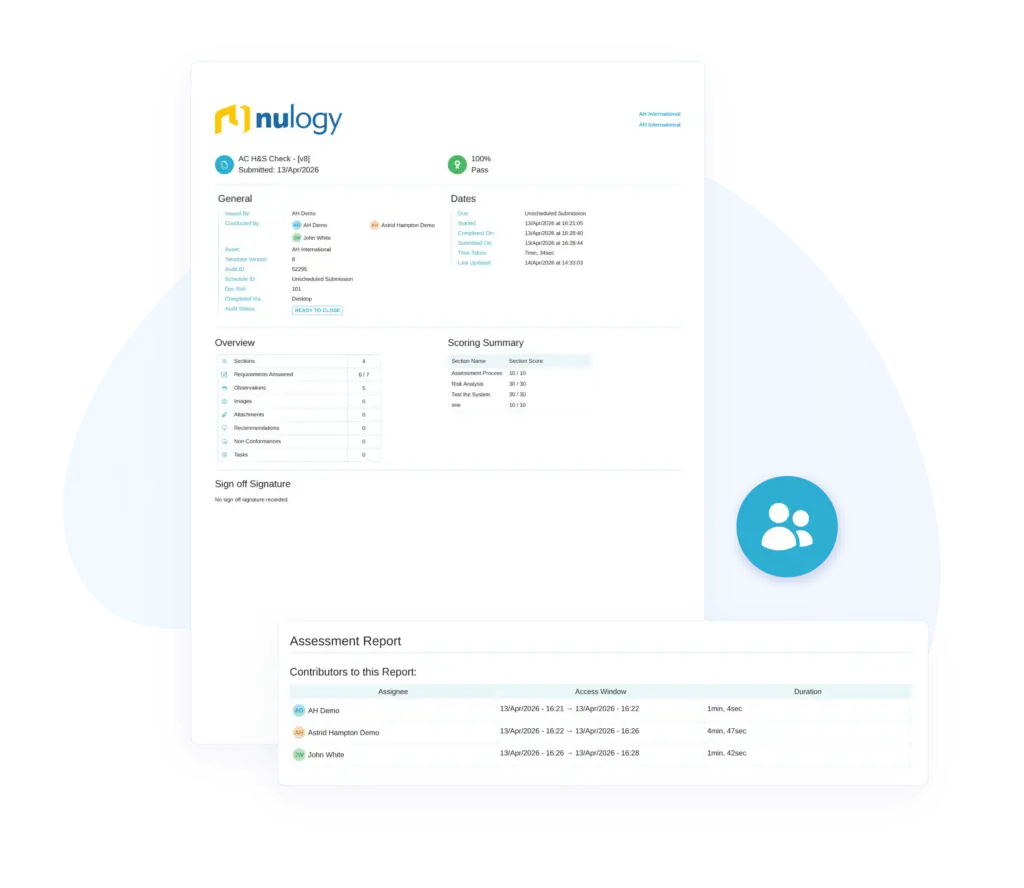
Lastly, the application will track each of the contributors to each assessment.
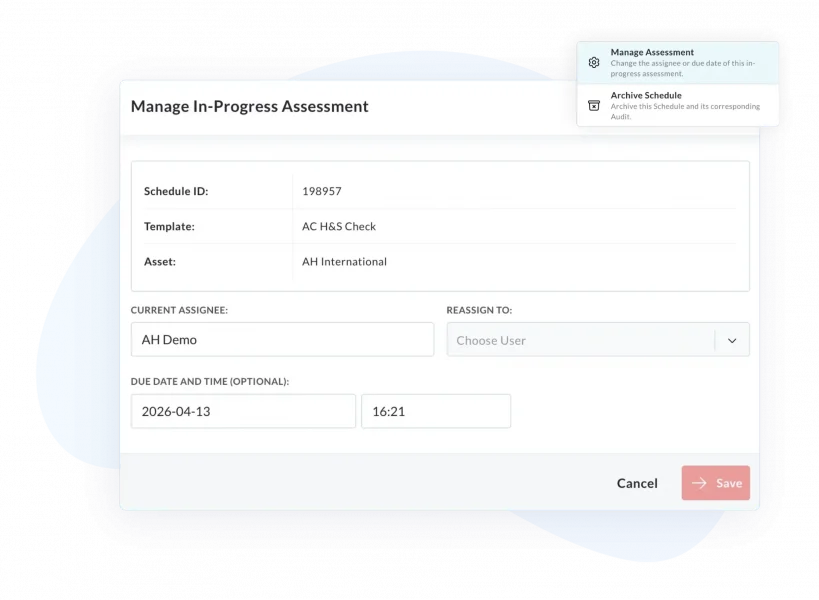
To access the Reassign feature, select it within the Schedule List on Portal.
Enhancements
Change the Due Date of an In Progress Assessment
An enhancement has been made to Assessments where users will now be able to update the due date of an assessment after it’s been started.
This enhancement will add greater flexibility to schedule dates, and will be of particular benefit for phased assessments.
If an in-progress assessment is being reassigned to a different user (see above feature), the due date can be updated for the new user as well.
To change the due date of an In Progress Assessment, select it within the Schedule List on Portal.
Attach a Drop Down List to an Asset Profile Field
An enhancement has been made to Asset Profile Fields, where users now have the ability to link a predefined list to an Asset Profile Field. This enhancement will help users save time and ensure consistent reporting.
Database Structure Improvements
Improvements have been made to the database structure in Quality & Compliance for enhanced performance. All users should notice these performance improvements across the portal.
Additional Updates:
General
- We have implemented the ability to have custom timeout periods per customer
- Custom Charts modal now translates
- Translation updates made to Executive Reports
- Task Custom Fields added to Per Requirement and Per Audit Reports
- Icon on conduct lists now deciphers templates that have been translated
- Standardised behavior of asset update and asset create flows
- French Translations Improvements
- Attachment upload tracking has been added to Audit log
- We now maintain logging for In-Progress Assessments
- Added a styled error page for specific errors
- UI updates made to File Profile page
- Renamed “Label” to “Name” on API Endpoint list
- Styling improvements made to Work Programs and Executive Reports
Android
- Cancel button on “More” modal renamed to “Close”.
- APIs updated to use Coroutines and Flow
- “OK” button on the time picker was getting slightly cut-off in landscape view
- Updated “Cascade Deletes” to ensure all data is being cleared
- Implemented update schedule properties on sync
- Improvements made to flow of adding CAs / PAs
- Maintained scoring scheme order when displaying selected scores on requirement during audit
IOS
- Maintained scoring scheme order when displaying selected scores on requirement during audit
- Optimised compression for images added from gallery
Risk Assessments
- Performance Improvements
- Last Updated time on PDF has been corrected and now displays accurately
- Users can now search for Controls with part of the ID – previously needed the full ID
- Target Scores will now only show on Risks where Tasks have been added
- Styling Improvements
- Any user on the organisation can now be assigned as the Risk Owner
- Optimisation updates
- Can now search for Risk Owner in Risk Library
Bug Fixes
- Bug with Phase Tags on Audit List has been resolved
- Styling bug for users with more than eight multi orgs has been resolved.
- Bug with making input fields mandatory on the template builder has been fixed
- Issue where text space didn’t expand on Android when typing over one line has been resolved
- Resolved an issue that occurred when a reopened NC on the portal is synced with Android automatically closed.
- Bug with AI Page not reloading correctly
- Bug where page jumps when opening assessment overview has been resolved
- Android crash when rejecting a Task has been resolved
- Android crash when logging in / out has been resolved
- Bug with rearranging NC Categories on Safari has been fixed
- Fixed an issue where requirement counts on sections in the assessment overview was showing as 0
- Bug with updating Datastores and impact on Risks has been resolved
- Resolved an issue where users could edit the Assessment Preview on Android
- Bug that sometimes occurred when opening certain completed reports on Android has been resolved
To learn more about how Nulogy Quality & Compliance can deliver value to your manufacturing operation, contact us or request a demo today.