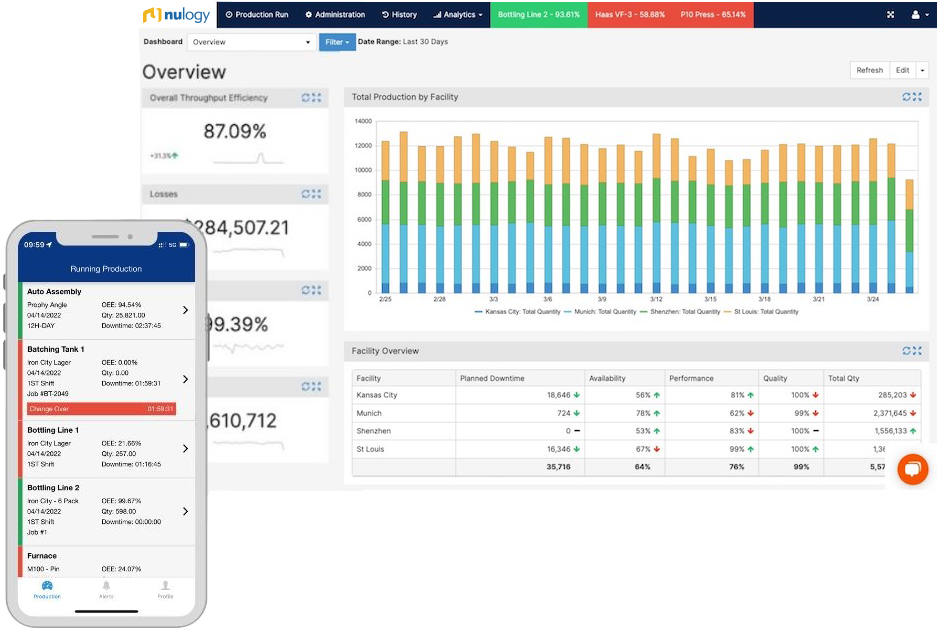
Every paper form, whiteboard count, and end-of-shift spreadsheet is a chance for the numbers to drift from what happened on the line. Nulogy Smart Factory captures production counts, downtime, and scrap from your machines as the work happens, and sends the shift report on its own.
Manual reporting is any production record that depends on someone writing it down: a paper form, an end-of-shift count typed into a spreadsheet, or a whiteboard photo texted to the office. Every handoff is a chance for the number to drift from what actually happened.
Fixing it doesn't start with a better form. It starts with capturing counts, downtime, and scrap automatically, at the machine, so nobody has to rebuild the shift after it's over.
Ways to Eliminate Manual Reporting
1
Capture Data at the Source, Not After the Shift
Part counts, downtime, and scrap get logged the moment they happen on the line, instead of being reassembled from memory.
2
Let the Report Send Itself
Shift, day, and week summaries arrive in the inbox on schedule. Tacony's team starts every day with an automated 6am report.
3
Get Alerted Before Issues Escalate
Mobile and email alerts flag a downtime, scrap, or throughput problem in real time, so a supervisor finds out when it happens, not from a report the next morning.
4
Give Every Plant the Same Playbook
One automated reporting standard replaces whatever spreadsheet each plant built on its own. See OEE Tracking Software.
How Nulogy Smart Factory Eliminates Manual Reporting
Manual reporting sticks around because nobody has time to fix it while running production. Nulogy Smart Factory removes the manual step. Counts and stops come straight from the PLCs and sensors you already have, operators add a reason code in seconds, and the reports build themselves.
Automatic
counts, downtime, and scrap captured without a spreadsheet in sight
One record
the same number for the operator, the supervisor, and the plant manager
Real time
alerts on a downtime or throughput problem the moment it happens, not the next morning
Customer Proof
No More Rebuilding the Shift
Lincoln Manufacturing, a precision stamper in Kentucky, moved off manual reporting and saved $100,000 in labor and production costs. Saving 15 minutes of machine time per operator alone was worth $75,000.
What counts as manual reporting on a production floor?
Manual reporting is any production record that depends on someone writing it down instead of a system capturing it: a paper traveler, an end-of-shift count typed into a spreadsheet, a whiteboard tally photographed for the office. Each handoff like that is a chance for the number to drift from what actually happened on the line.
How does Nulogy Smart Factory eliminate manual reporting?
It captures part counts, cycle times, downtime, and scrap from the machines you already have, prompts operators for a stop reason, and builds shift, day, and week reports automatically, delivered by email and on the mobile app.
I already have an ERP. Why do I need Smart Factory?
Your ERP knows what was planned. It doesn't see the short stops and slow cycles on the line. Smart Factory captures what actually happened and works alongside the ERP you already have.
How long does it take to go live?
Smart Factory connects to the equipment you already have, with no rip-and-replace. Versatech saw ROI in under 3 months.
Will my operators actually use it?
Operators see their line's target and live count on the floor and add a stop reason in seconds, with no forms to fill in after the shift.